
Florida Theme Park Maps1.0 - App Store
You'll be able to see results in few seconds.
Publisher Description
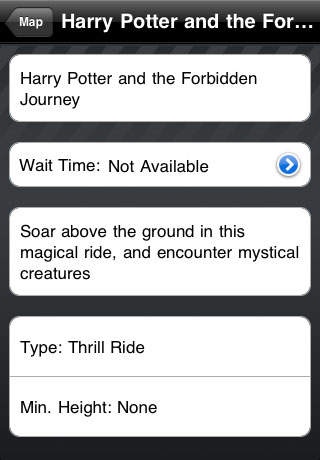
This application is a great companion to the WDW Maps Box Set. It includes 4 other great Florida theme parks.
Please note: It does not include Walt Disney World park maps.
This interactive map set will help guide you through these parks:
* Universal Studios Orlando
* Islands of Adventure (including the new Harry Potter area)
* SeaWorld Orlando
* Busch Gardens Tampa
No more hunting and pecking for the right place on the paper map. You can quickly search for attractions, restaurants and restrooms. Once you find it, hit the Map button and pinpoint the place on your map. Features:
* Full size, detailed, easy to navigate maps of the parks.
* Search for places alphabetically, by category or by location.
* Prioritize places to visit as either high, medium or low, and visualize your plan on the map.
* Flag places you have visited to quickly check the map for what you've done.
* Customize the places shown on your map by priority, not visited and type of place.
* Locate your position on the map using a GPS enabled phone.
* Built-in menus for most restaurants - no data connection required.
UPinPoint.com and any other properties owned by UPinPoint, LLC are not affiliated with, authorized or endorsed by, or in any way officially connected with, Universal, SeaWorld Parks & Entertainment, Busch Entertainment Corporation, or any of their affiliates.
Requires iOS 3.1.3 or later. Compatible with iPhone, iPad, and iPod touch.
About Florida Theme Park Maps
The company that develops Florida Theme Park Maps is Aaron White. The latest version released by its developer is 1.0.
To install Florida Theme Park Maps on your iOS device, just click the green Continue To App button above to start the installation process. The app is listed on our website since 2010-07-09 and was downloaded 0 times. We have already checked if the download link is safe, however for your own protection we recommend that you scan the downloaded app with your antivirus. Your antivirus may detect the Florida Theme Park Maps as malware if the download link is broken.
How to install Florida Theme Park Maps on your iOS device:
- Click on the Continue To App button on our website. This will redirect you to the App Store.
- Once the Florida Theme Park Maps is shown in the iTunes listing of your iOS device, you can start its download and installation. Tap on the GET button to the right of the app to start downloading it.
- If you are not logged-in the iOS appstore app, you'll be prompted for your your Apple ID and/or password.
- After Florida Theme Park Maps is downloaded, you'll see an INSTALL button to the right. Tap on it to start the actual installation of the iOS app.
- Once installation is finished you can tap on the OPEN button to start it. Its icon will also be added to your device home screen.
Program Details
System requirements
Download information
Pricing
Version History
version 1.0
posted on 2010-07-09
Disclaimer
Official App Store Link
We do not host Florida Theme Park Maps on our servers. We did not scan it for viruses, adware, spyware or other type of malware. This app is hosted by Apple and passed their terms and conditions to be listed there. We recommend caution when installing it.
The App Store link for Florida Theme Park Maps is provided to you by apps112.com without any warranties, representations or guarantees of any kind, so access it at your own risk.
If you have questions regarding this particular app contact the publisher directly. For questions about the functionalities of apps112.com contact us.
